BPMN Designer Overview
1.1 Product Introduction
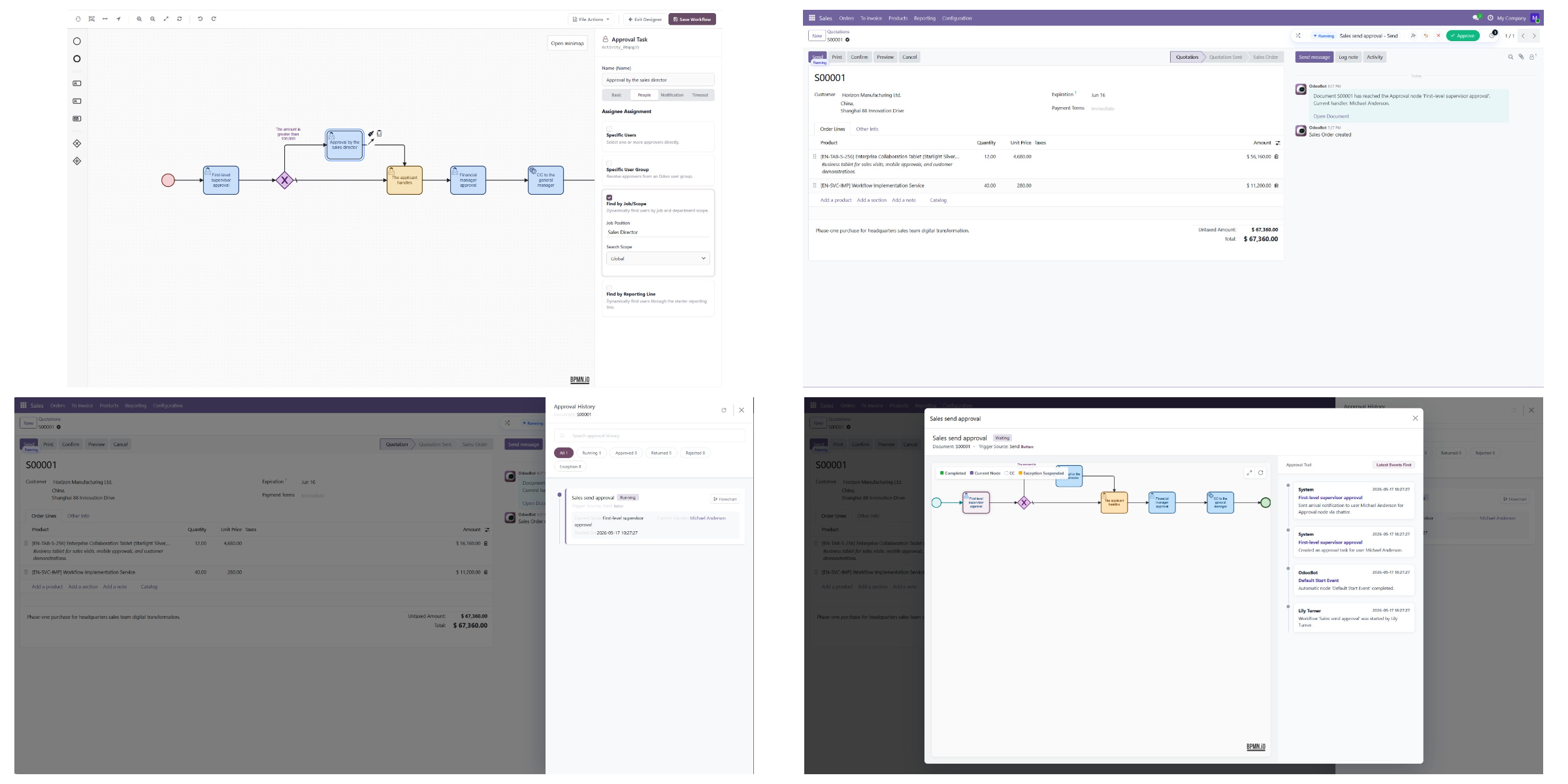
MT-Workflow is an advanced approval and workflow framework for Odoo.
It is not a standalone OA system outside of Odoo, nor is it a general-purpose BPMN diagramming tool. Instead, it runs directly inside Odoo and builds approval workflows around real Odoo business documents, native buttons, users, employees, departments, job positions, and the messaging system.
In daily business operations, many approvals are not just a matter of clicking "Approve" or "Reject." Companies often need to handle more complex workflows:
- A sales order needs manager approval before it is sent.
- A high-value order needs an additional finance review.
- After approval is passed, the original Odoo business action still needs to continue.
- The approval process needs handling tasks, CC, reminders, and timeout handling.
- All history must remain on the business document and inside Odoo.
- Later maintenance must support personnel changes, workflow tracking, and exception takeover.
The core goal of MT-Workflow is to turn these real business approval scenarios into workflows that can be configured, run, and tracked inside Odoo.
1.2 Key Differences
1. It binds to native Odoo buttons instead of creating a separate approval entry point
The design of MT-Workflow is similar to the approval framework in Odoo Enterprise:
It does not ask users to leave the business document and submit approval separately. Instead, it binds directly to native Odoo buttons.
For example, the "Send" and "Confirm" buttons on a sales order, the "Confirm Order" button on a purchase order, or Object Buttons on other business models can all be taken over by workflows.
When a user clicks a native button, the system first determines whether approval is required:
- If approval is not required, the original button runs normally.
- If approval is required, the workflow starts first.
- After approval is passed, the original Odoo method continues to run.
- If automatic execution fails, the system records the reason and allows manual takeover.
In other words, MT-Workflow controls not only "button display," but also the business method behind the button and when that method runs.
2. It supports complex approvals, not just simple rules
Common approval modules are usually suitable for simple scenarios, such as fixed approvers or adding one approval level when an amount exceeds a threshold.
MT-Workflow is better suited for complex workflows:
- Single-person approval;
- multi-person countersignature;
- minimum required approvals;
- adding approvers;
- transferring approval;
- handling tasks;
- CC tasks;
- conditional branches;
- default flow;
- parallel approval;
- automatic timeout handling;
- repeated reminders;
- workflow instance tracking.
These capabilities can be combined through the BPMN visual designer instead of being hard-coded entirely.
3. Approval information stays inside Odoo
Approval is not a chat record detached from the business, and it is not an isolated process in an external system.
MT-Workflow keeps approval-related information inside Odoo:
- Workflow status on the current business document;
- approval, handling, and CC records;
- Chatter messages;
- Odoo internal notifications;
- email records;
- workflow instances;
- approval diagrams;
- runtime logs;
- automatic execution results;
- failure reasons.
This allows business users to see approval progress on the document, administrators to track workflow instances, and later audits and troubleshooting to have a reliable basis.
4. It emphasizes visualization and complex workflows more than Odoo Enterprise approvals
Odoo Enterprise approvals are more rule-oriented and lightweight, making them suitable for relatively standard approval scenarios.
MT-Workflow emphasizes:
- BPMN visual modeling;
- complex path orchestration;
- conditional branches and default flows;
- parallel processing;
- mixed workflows with approval, handling, and CC tasks;
- visual workflow execution traces;
- closer alignment with real internal approval chains.
It is not meant to replace Odoo's business logic. Instead, it adds a configurable, traceable, and extensible approval workflow control layer before and after native Odoo business logic.
1.3 Product Positioning
MT-Workflow is best positioned as:
An advanced approval and workflow control layer for Odoo.
It does not solve only the question of "whether there is an approval button." It solves this question:
How can real business actions in Odoo go through configurable, traceable, and visual approval workflows before they are executed?
The following chapters introduce specific usage topics, including workflow definitions, the BPMN designer, button binding, approval handling, notifications and reminders, instance tracking, and user replacement.