Branch Nodes
Branch Nodes
Branch nodes control how a workflow moves between different paths. The commonly used branch nodes are mainly exclusive branches and parallel branches.
Exclusive branches are used when "one path is selected from multiple paths." Parallel branches are used when "multiple paths run at the same time."
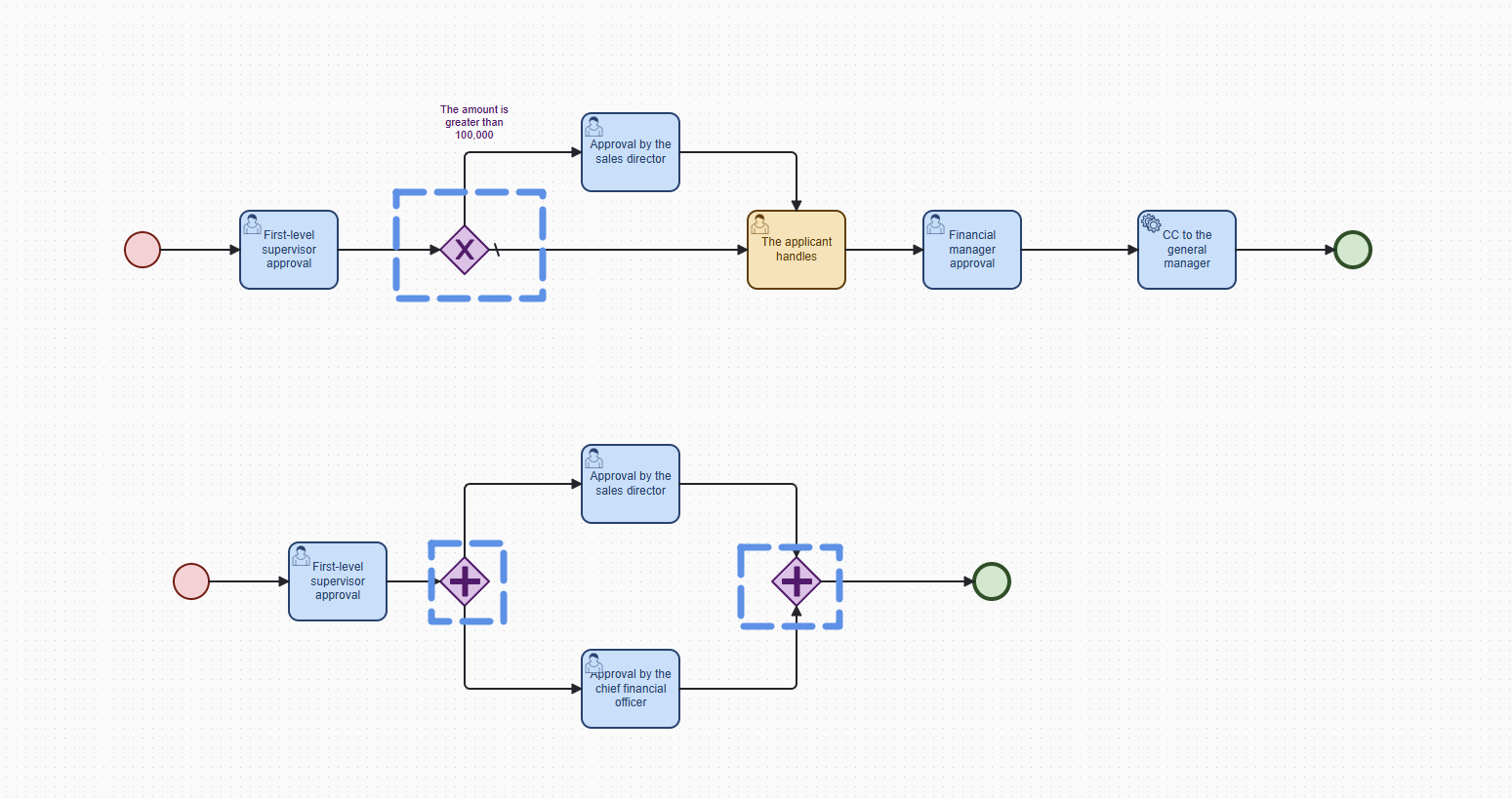
Exclusive Branch
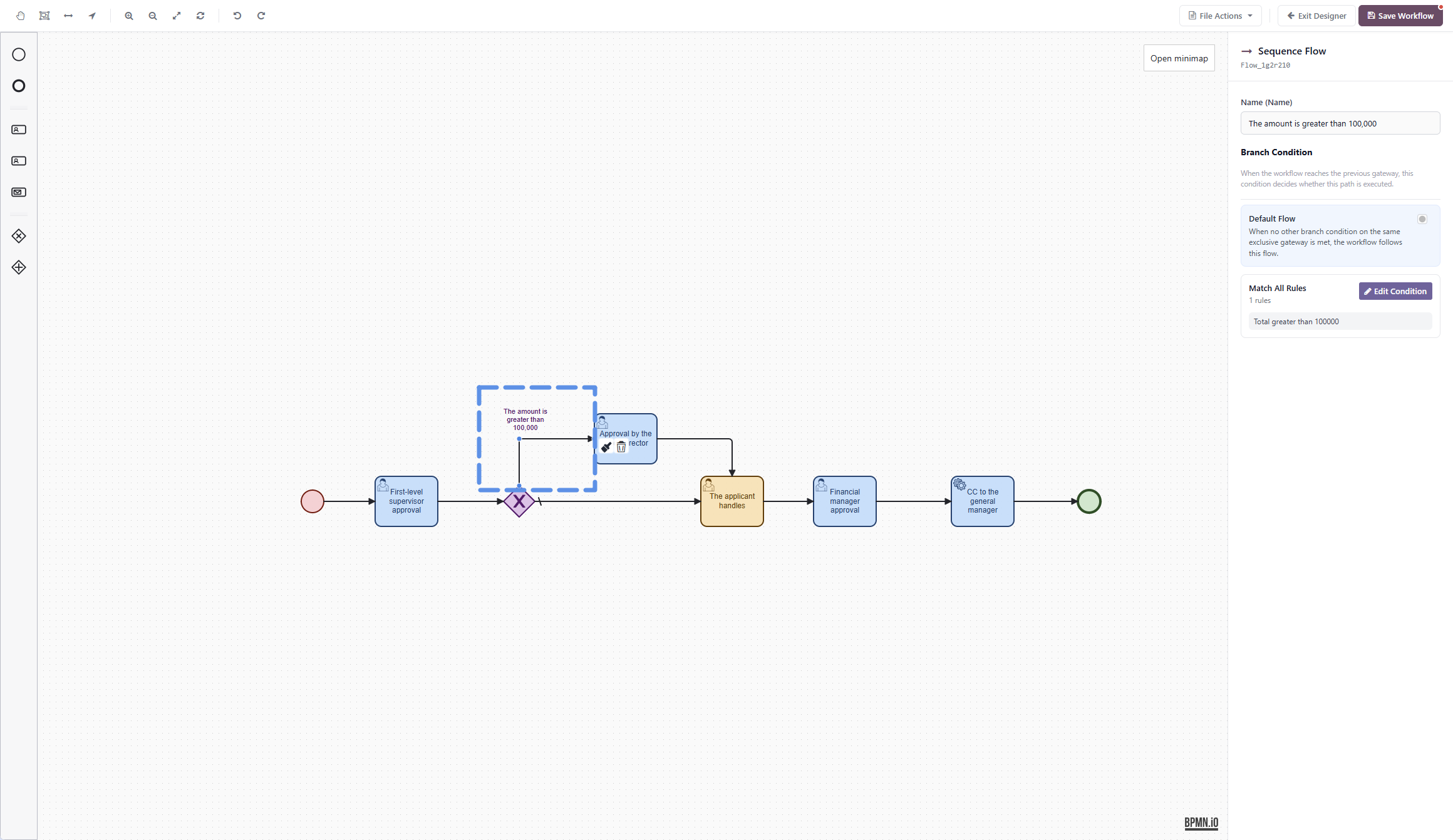
An exclusive branch means that after the workflow reaches this node, it selects one path to continue based on conditions.
It is suitable for scenarios where the approval path changes according to different business situations, for example:
- If the amount exceeds a certain value, go to finance review.
- For specific customers, go to sales director approval.
- If submitted by a specific department, go to department owner approval.
- Different document types follow different approval workflows.
The key characteristic of an exclusive branch is:
Only one path among multiple paths will continue.
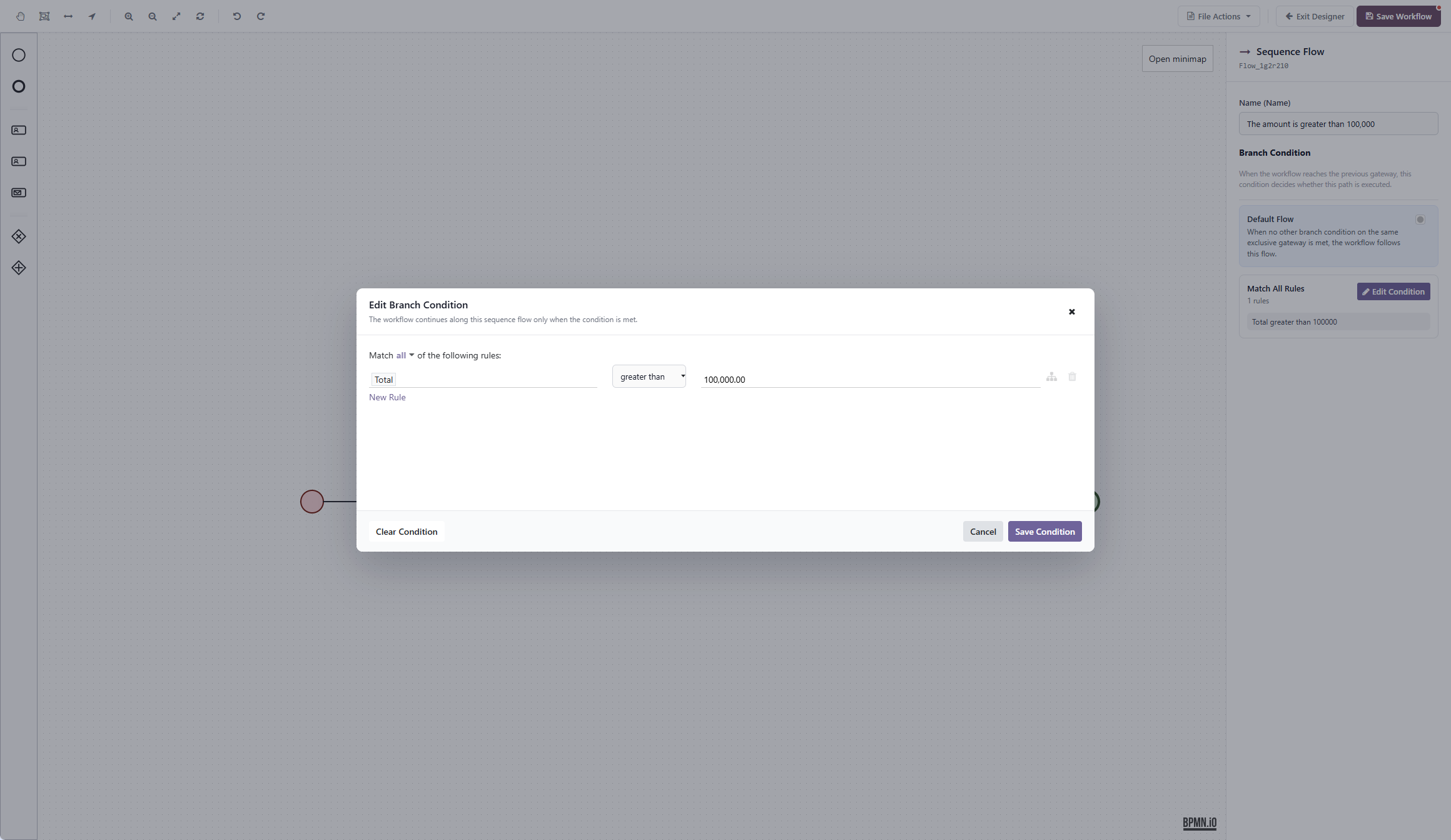
Default Flow
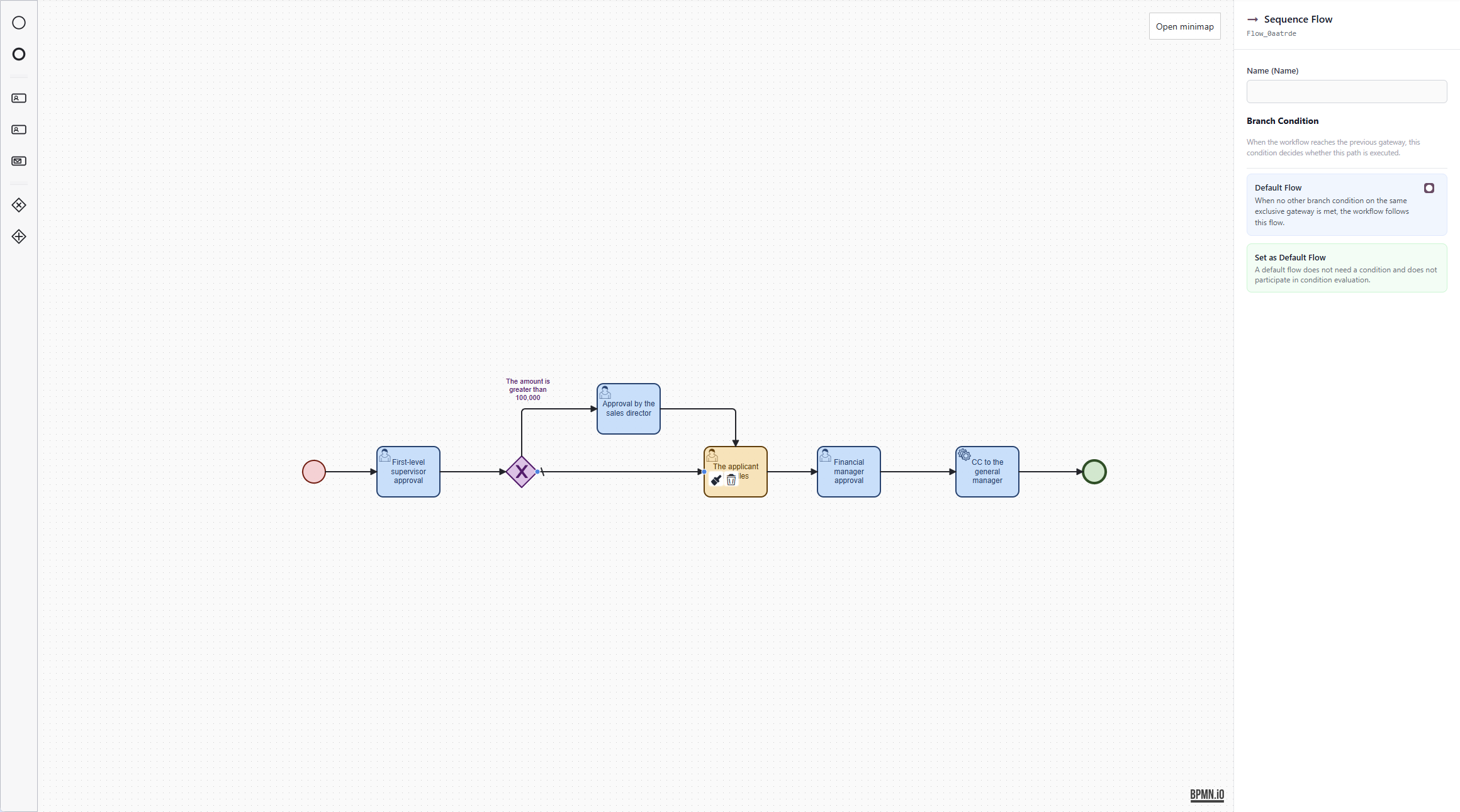
An exclusive branch must have a default flow.
The default flow acts as a fallback. When none of the conditions are met, the workflow follows the default flow and continues.
For example:
- If the amount is greater than
10000, go to sales director approval. - Otherwise, follow the default flow and enter the standard approval path.
The "otherwise" path here is the default flow.
Note that the default flow is not an ordinary conditional line. It is the fallback path when no condition is matched. If an exclusive branch has no default flow, the workflow may not know where to go next when all conditions fail.
Parallel Branch
A parallel branch means that after the workflow reaches this node, multiple paths are started at the same time.
It is suitable for scenarios where multiple tasks need to be handled simultaneously, for example:
- The sales owner and presales owner review at the same time.
- Finance and administration confirm at the same time.
- Legal and business owners review at the same time.
- Multiple departments complete their own checks at the same time.
The key characteristic of a parallel branch is:
Multiple paths are executed at the same time.
Parallel Split and Parallel Join Must Be Used in Pairs
Parallel nodes are usually used in pairs:
- The earlier parallel node performs the split, splitting the workflow into multiple paths that run at the same time.
- The later parallel node performs the join, waiting for all these paths to finish before continuing.
You can understand it this way:
However many paths are definitely split out in parallel, those paths need to be joined back later.
If a workflow only splits and does not join, the following process may execute repeatedly. If a workflow only joins without a corresponding split, it may wait forever.
A parallel join node must not be directly connected after mutually exclusive paths from an exclusive branch.
The reason is that an exclusive branch selects only one path to execute, and the other paths do not produce workflow tokens.
A parallel join node waits for all incoming paths to complete.
If several mutually exclusive paths from an exclusive branch are all connected to the same parallel join node, the result is:
Only one path actually runs, but the parallel join is still waiting for other paths that never executed.
The workflow may then get stuck at the parallel join node and fail to continue.
Therefore:
- Use exclusive branches for either-or or one-of-many choices.
- Use parallel branches when multiple paths need to run at the same time.
- Do not directly connect exclusive paths into a parallel join node.