Approval Node
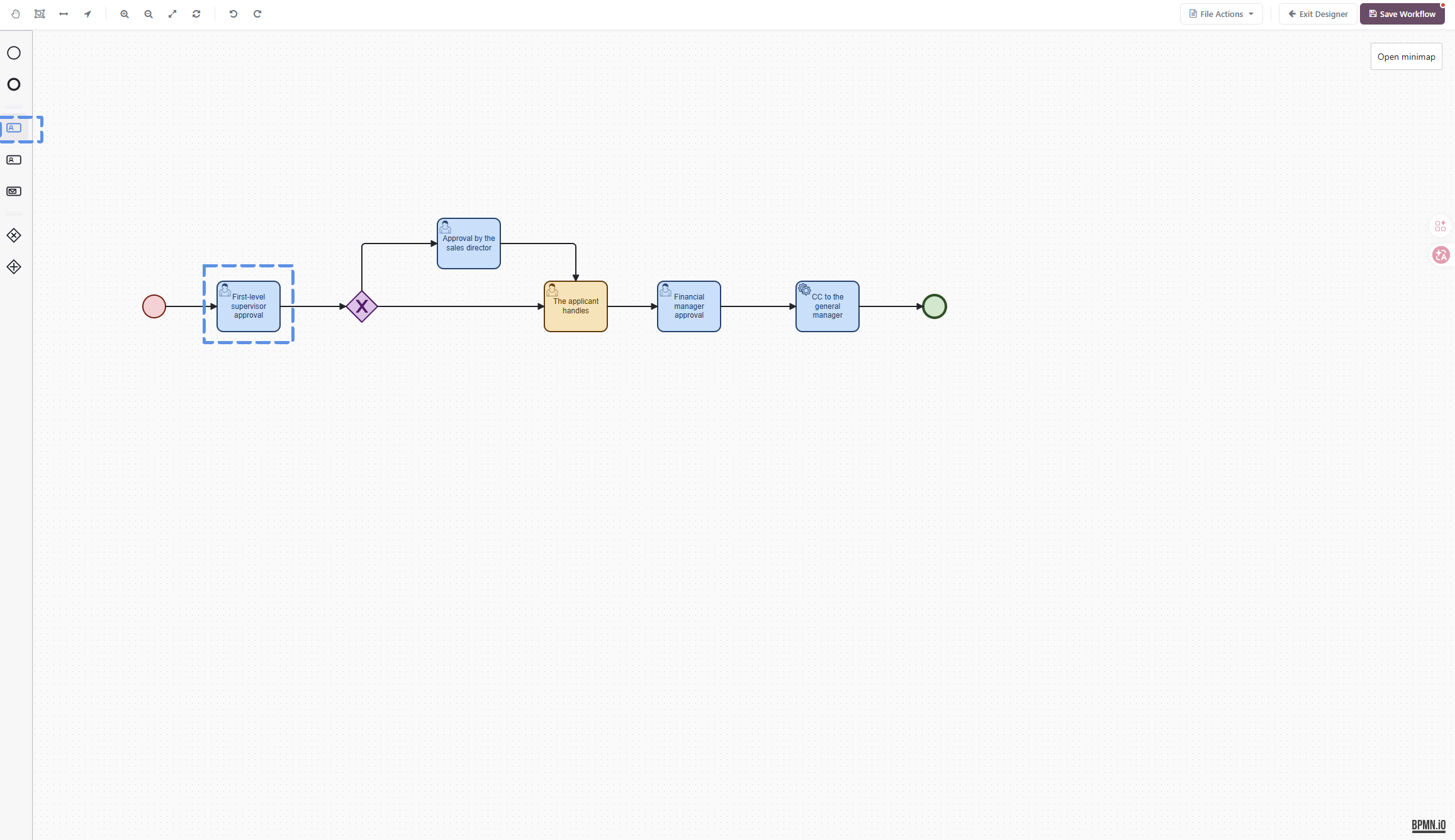
Basic Configuration
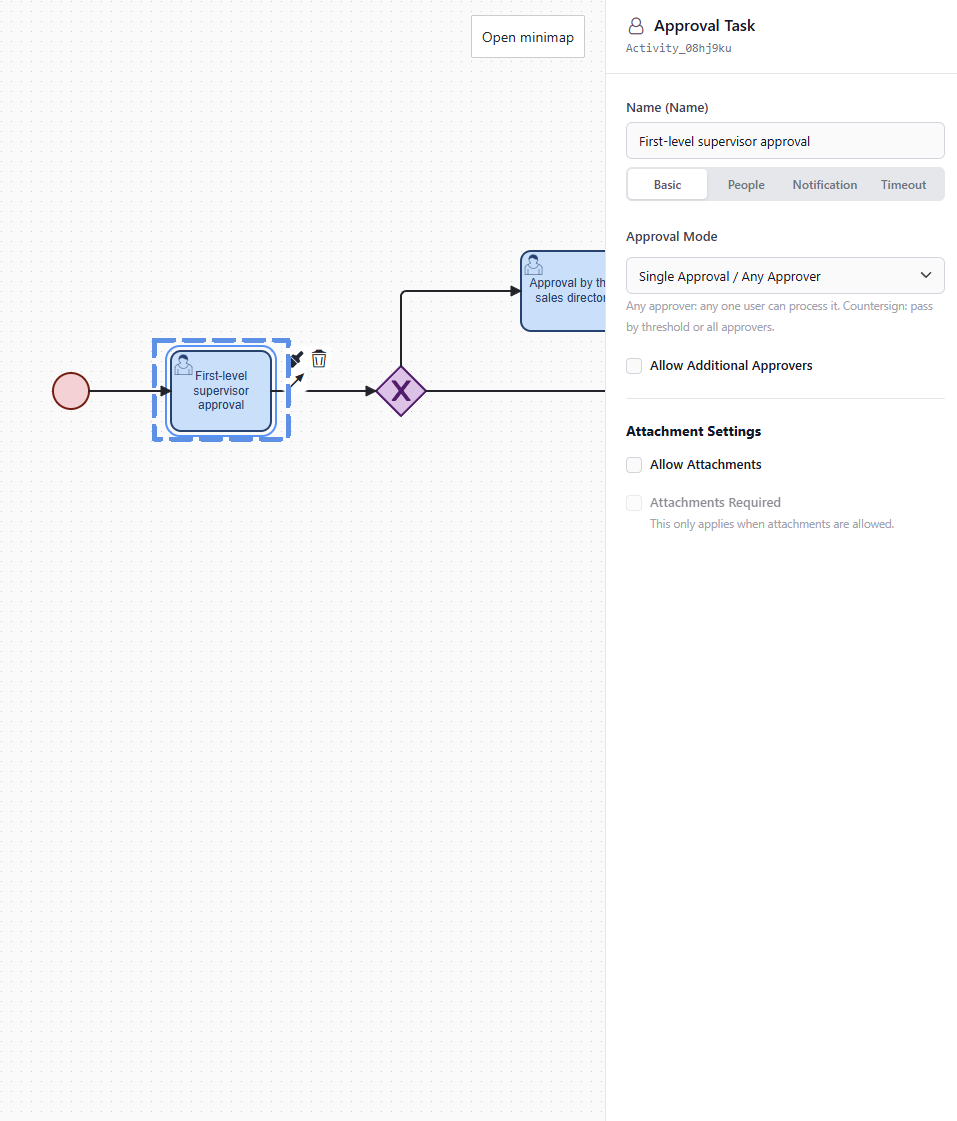
Name
"Name" identifies the current approval node. It also appears in the workflow diagram, approval tasks, workflow history, and pending task records.
Use a clear and specific name, for example:
- First-level manager approval
- Finance manager review
- Sales director approval
- Legal contract review
- Purchasing manager confirmation
Do not use only "Approval" or "Review"; otherwise, it will be hard to understand the business meaning of the current node when viewing workflow history later.
Approval Mode
The approval mode determines how many people need to handle the current node and what condition must be met before the workflow continues.
There are currently two common modes.
Single Approver / Any Approver
This mode means that the node can continue as soon as any one approver approves it.
Suitable scenarios:
- Only one approver is configured.
- Multiple possible approvers are configured, but only one person needs to handle it.
- Any one of several managers can confirm.
- A lightweight approval needs to be released quickly.
Example:
Regional sales manager approval: as long as any regional manager approves, the workflow continues.
This mode is suitable for most simple approval scenarios.
Countersignature
Countersignature means that the current node may have multiple approvers, and the workflow can continue only after certain approval conditions are met.
After countersignature is selected, the "Minimum Approvals" configuration appears.
Minimum Approvals
"Minimum Approvals" applies only in countersignature mode.
It controls how many approvers must approve the current approval node.
For example:
- Blank: all approvers must approve.
2: the node passes once 2 approvers approve.3: the workflow continues after at least 3 approvers approve.
Suitable scenarios:
- Joint approval by multiple departments;
- expert group review;
- multiple owners confirming together;
- approval that requires a specified number of approvals before release.
Example:
A contract requires 3 reviewers to participate, but it can continue as long as 2 of them approve.
In this case, select "Countersignature" as the approval mode and enter
2for minimum approvals.
If all approvers must approve before the workflow continues, select countersignature and leave the minimum approvals field blank.
Allow Adding Approvers
"Allow Adding Approvers" means that an approver can temporarily add new approvers while handling the current task.
Suitable scenarios:
- The current approver believes another department also needs to confirm.
- An expert needs to be involved temporarily.
- The business situation is complex and an additional owner is needed.
- Not all participants can be predicted during workflow design.
Example:
During finance manager approval, the manager finds that the contract terms involve legal risk and adds the legal owner as an additional approver.
If the workflow must strictly follow the preset approvers, this option can be disabled.
Attachment Settings
Approval nodes can control whether attachments are allowed during approval.
Allow Attachments
When enabled, approvers can upload attachments while handling the task.
Suitable scenarios:
- Supplementing a quotation;
- uploading a contract file;
- providing a payment voucher;
- uploading explanatory materials or screenshots.
Attachment Required
"Attachment Required" takes effect only after "Allow Attachments" is enabled.
When enabled, approvers must upload an attachment before submitting the approval opinion. Otherwise, the approval cannot be completed.
Suitable scenarios:
- Finance approval must upload a payment voucher.
- Contract review must upload the contract version.
- Purchasing approval must upload supplier quotations.
- Special approvals must provide supporting materials.
For ordinary approvals, making attachments mandatory is not recommended, because it increases the cost of use.
Note
When a countersignature node has already set "Minimum Approvals," adding an approver only adds the new approver to the current node's approver scope. It does not automatically increase the original passing threshold. In other cases, all approvers must approve before the approval is completed.
For example, if a countersignature node originally has three approvers and the minimum approvals value is 2, then even if another approver is added later, the system will still determine node completion according to the rule "the node passes once 2 people approve." In this context, adding an approver is closer to "expanding the group of people who may participate in approval at the current node" rather than forcing the newly added approver to participate in the decision. Therefore, if the business requires the added approver to participate in the decision, avoid setting the minimum approvals too low during workflow design, or clearly define in actual usage that adding approvers is for supplementing approval opinions, not for changing the passing threshold of the current node.